Below are couple different scenarios and resloves to help you sign into your subscription.
Please reach out to support@metln.org with any questions.
If you have signed in but are being prompted that the subscription is inactive:
- Select the Refresh your access link under What's included
- Could the subscription be under a different email address?
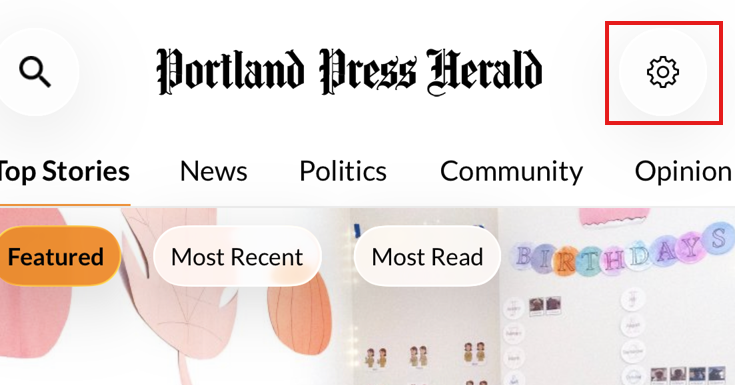
- You can sign out and back in by going to Account Settings (gear icon) on the homepage.
- Going to pressherald.com/myaccount and signing in can show you the status of your subscription.

If you are signing in on an iPhone or iPad and the login screen refreshes without advancing.
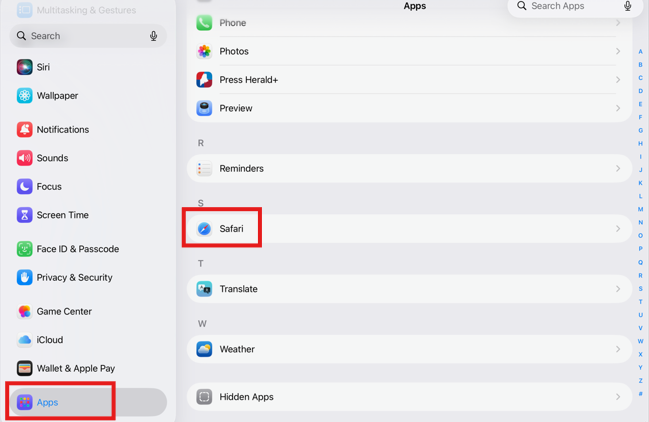
- Go to your iPad's Settings App (Gear App)
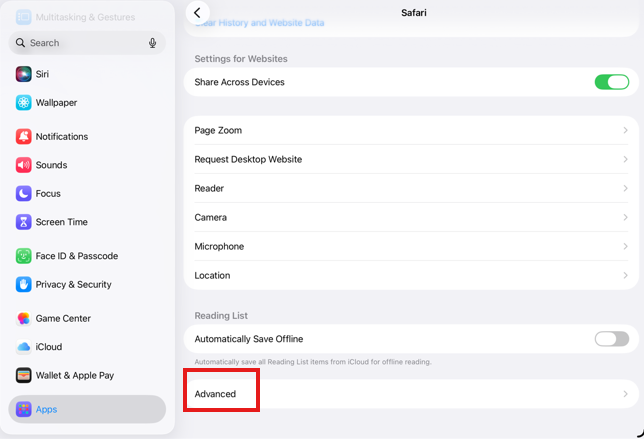
- Open Apps, open Safari
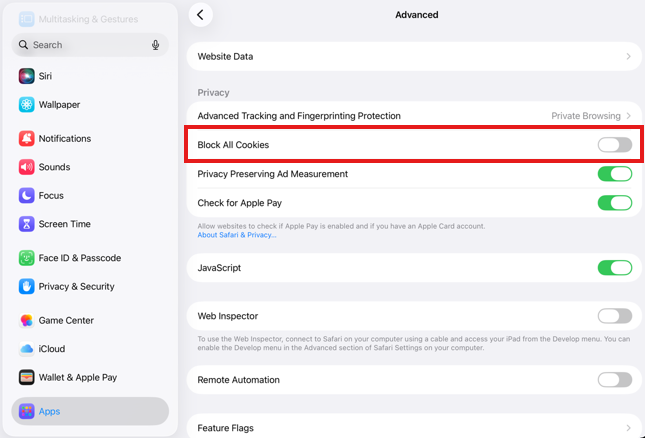
- Scroll to the bottom select Advanced
- De-select Block All Cookies (make it grey)
- Close the App completely on your device
- Return to the Press Herald+ app and sign in.